
Web Scraper for any website
Extract products, prices, images, lists and reviews from any page in a few clicks — no code required.
Product tour
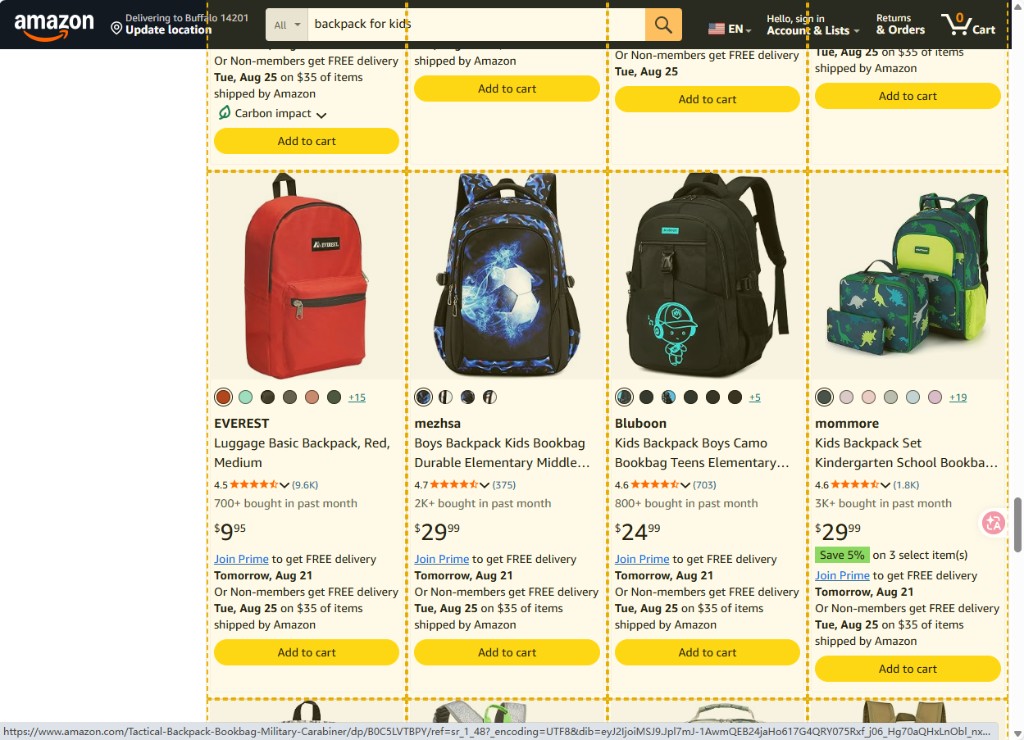
Click one item. Get the whole list.
Yellow outlines mark every matched item
Point at one product card or list row. Matching items are highlighted across the page.
Chrome extension
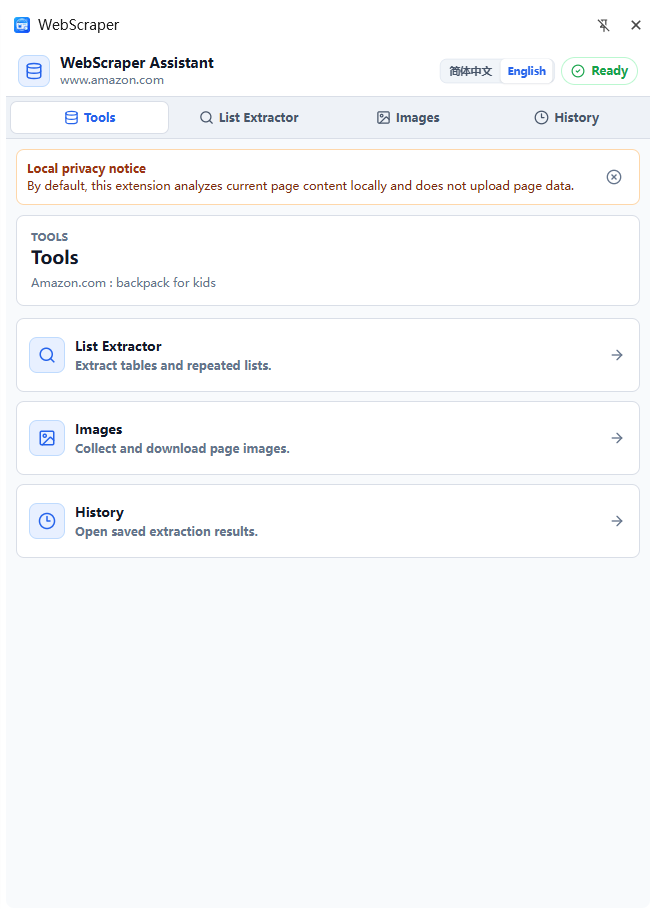
Side panel tools next to the page
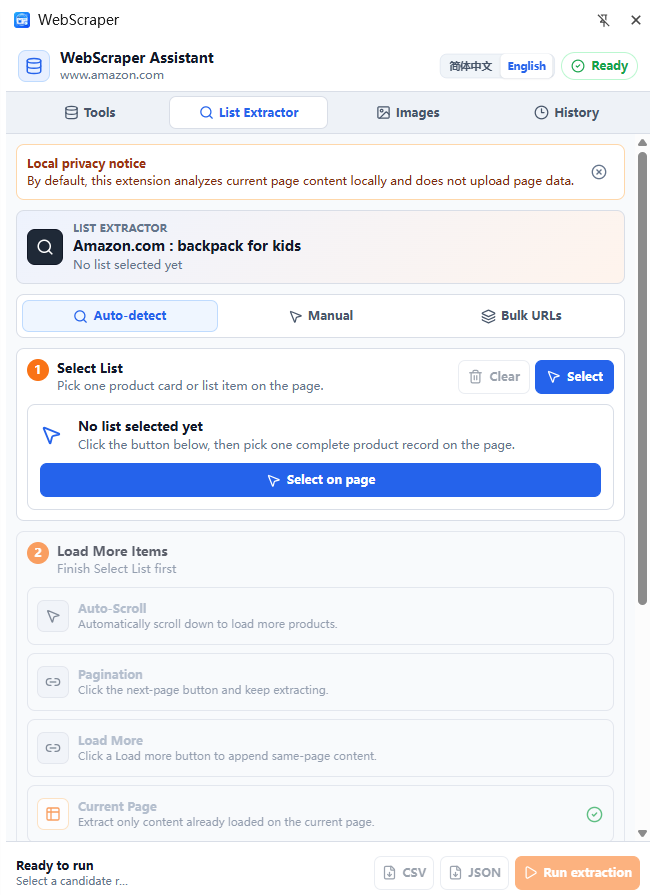
The extension opens beside the page you are already viewing. Switch between Tools, List Extractor, Images and History without covering the content.
- Local privacy notice by default
- Auto-detect or manual select on page
- Run extraction, then export CSV or JSON
Extraction tools
Built for lists, tables, images and clean exports
List Extractor
Detect repeated lists, tables, product cards and search results in one click.
Manual select
Point at one card or row, then extract the matching pattern across the page.
Image Downloader
Collect page images alongside titles, prices and links when you need assets.
Pagination & scroll
Continue through pagination, load-more buttons and auto-scroll pages.
Editable results
Review extracted rows in a local Data Table before you export.
CSV / JSON export
Download clean structured files for sheets, CRM tools and research.
Structured output
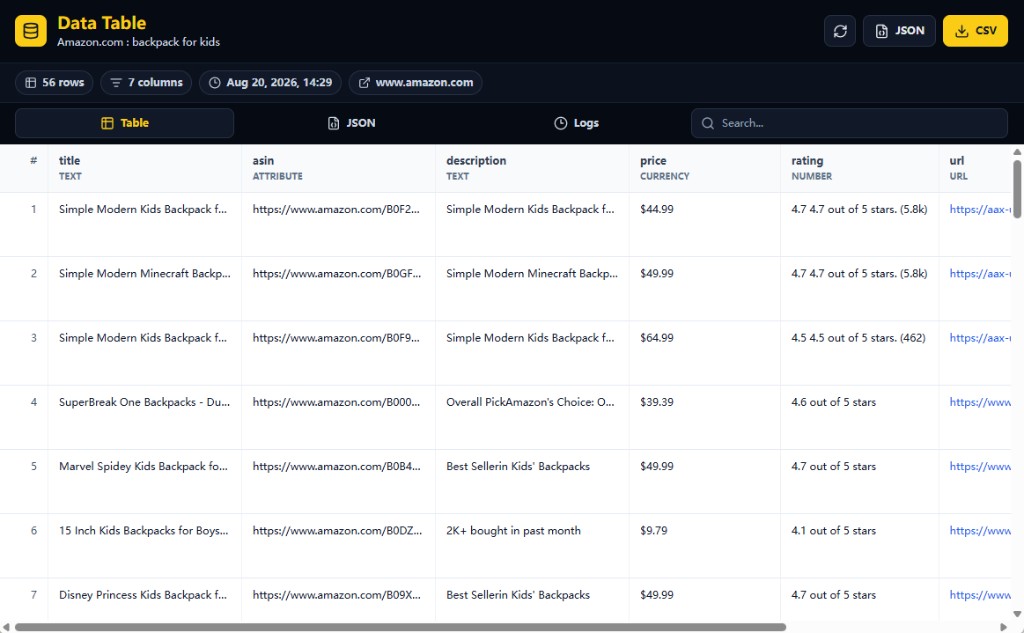
Whatever you pull lands in a Data Table
Titles, ASINs, prices, ratings and links become typed columns. Search the table, then export CSV or JSON.
- Clean column headers and typed fields
- Local history of successful runs
- English and Simplified Chinese UI
How it works
Start extracting in two minutes
Open a webpage
Go to any public page with the data you need.
Open the side panel
Launch Web Scraper from Chrome.
Detect or select
Auto-detect a list, or click one item to teach the pattern.
Export
Save the result as CSV or JSON on your device.
Runs on your machine. Nothing uploaded by default.
Extraction runs locally in your browser. History and exports stay on your device.
FAQ
Common questions
Is Web Scraper free?+
Yes. The Chrome extension is free to install and free to start for local extraction.
Do I need to know how to code?+
No. Point at lists or cards, extract the data, then export. No selectors or scripts required.
What can it extract?+
Tables, repeated lists, product cards, search results, emails, links, images and other visible page fields.
Where does my data go?+
By default extraction runs locally in your browser. Results and history stay on your device unless you choose to export files.
Is scraping legal?+
Only collect data you are allowed to access. Follow each website’s terms and applicable laws.